CAPTAINSMATE

Every footswitch, rewired from a browser tab.

CaptainsMate is a point-and-click editor and a small custom firmware for the PaintAudio MIDI Captain 10 STD. Lay out your pages, press Send, and the pedal changes on the spot. No config files to hand-edit, no ejecting the drive, no reboot.

Free and open source under the MIT licence. The emulator runs in any modern browser with no pedal attached. Connecting a real pedal over USB needs Chrome or Edge on a computer.

⏻ USB DC 5V MIDI OUT MIDI IN EXP1 EXP2

Step on it. Tap a switch, hold TAP for the tuner, or use 1 to 5 for the top row and 6 to 0 for the bottom row.

The whole pedal on one screen.

Your pages sit on the left, the ten keys and a live preview of the pedal's screen in the middle, and everything about the selected key on the right. Click any key to simulate a tap, Shift-click for a long press, and watch the LEDs and the screen react exactly as they will under your foot.
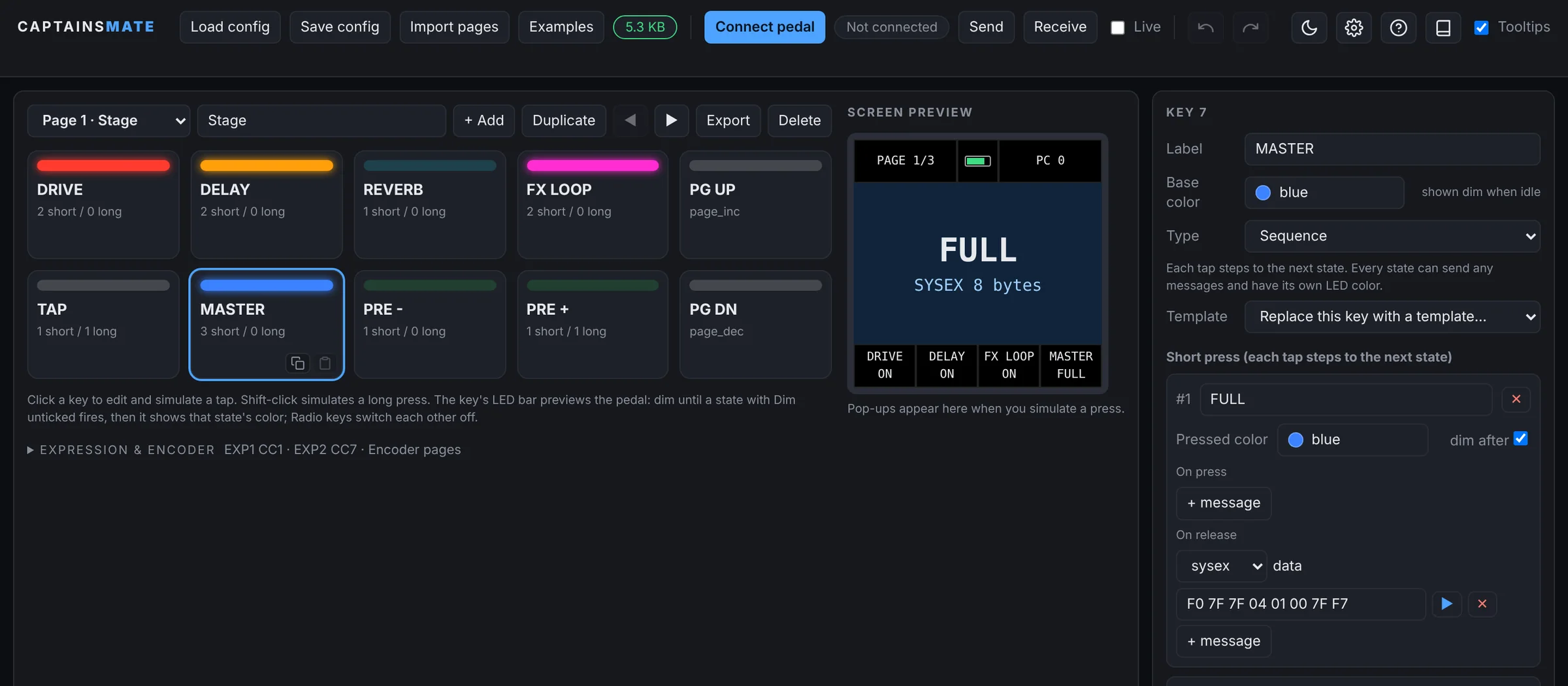
The CaptainsMate editor showing a stage page with drive, delay and FX loop lit, a master volume key selected, and the screen preview showing FULL.
The starter config's stage page. Drive, delay and the FX loop are on, and the master volume key has just sent a SysEx message, so the screen pops up FULL.

Press Send, keep playing

The editor talks to the pedal over the same USB cable that powers it. Send pushes your changes and the pedal saves them itself. Receive pulls the pedal's setup back into the editor. Tick Live and every edit goes across as you make it.

Nothing to install

The editor is a single web page. Open it, connect, done. It also works as a test emulator with no pedal at all, so you can build a whole rig on the train and send it when you get home.

Know how much room is left

A size chip shows how big your config is, and once connected, how much memory the pedal has free. You find out a page is too big in the editor, not halfway through a gig.
Built for players, not MIDI programmers.

The MIDI Captain is a great little foot controller. CaptainsMate makes it painless to tell it what to do, on stage, in the studio or at the practice space.

Build pages the way you play

Ten keys is never enough, so make as many pages as you like and flip between them with page keys or the encoder wheel. Every key glows dimly in its own color, so you can read the pedal from across the stage.

  • Radio groups light one key at a time, perfect for a bank of patches.
  • Pick a ready-made key from the Template menu: toggle, momentary, tap tempo, counter, drum pad and more.
  • Drag keys to swap them, move whole pages, copy, paste, duplicate and undo.
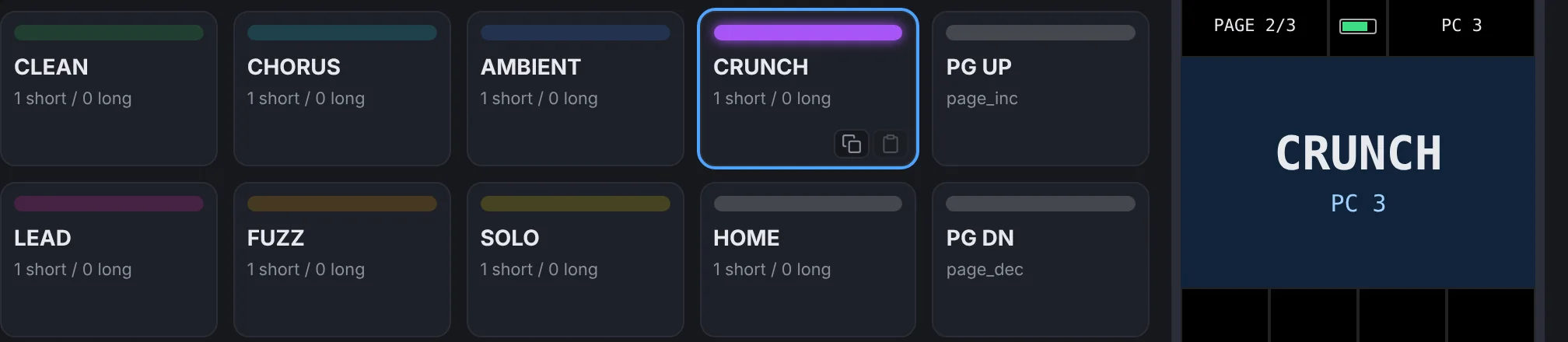
A patches page with eight radio keys, CRUNCH lit purple, and the screen preview showing CRUNCH, PC 3.

One switch, two jobs

Every key can do one thing on a tap and something else on a long press. Tap for tap tempo, hold for the tuner. Tap for the next scene, hold to jump back to the first. Tap to undo, hold to clear the loop.

  • Send on press for instant response, or on release to avoid double triggers.
  • Stack several messages on one key: change the amp channel, bypass a pedal and recall a preset in one stomp.
  • Press macros tap other keys for you, so one footswitch can flip a whole scene.
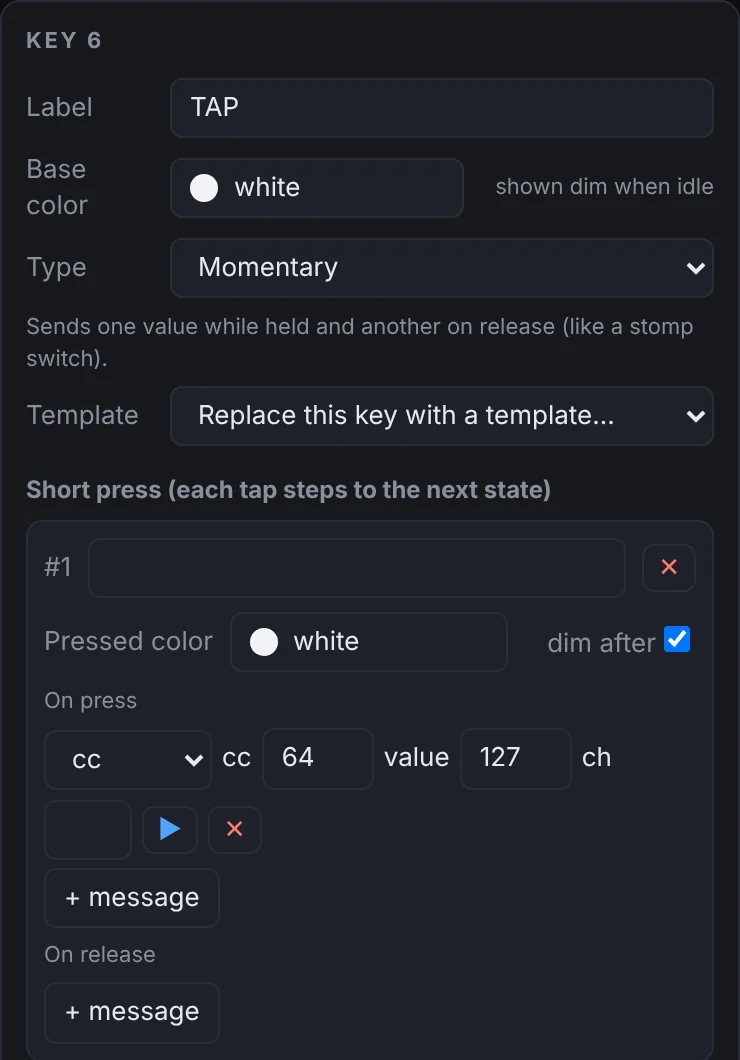
The key inspector for a TAP key set to Momentary, sending CC 64 value 127 on press, with a long press section below.

Speaks CC, PC, notes and SysEx

Control Change for the knobs and switches on most gear, Program Change and preset up and down for recalling sounds, notes with velocity for drum pads and samplers. When a CC can't reach something, type the SysEx bytes in hex and the pedal sends them as they are.

Set one MIDI channel for the whole pedal, or override it on any single message so one pedal can drive several devices.

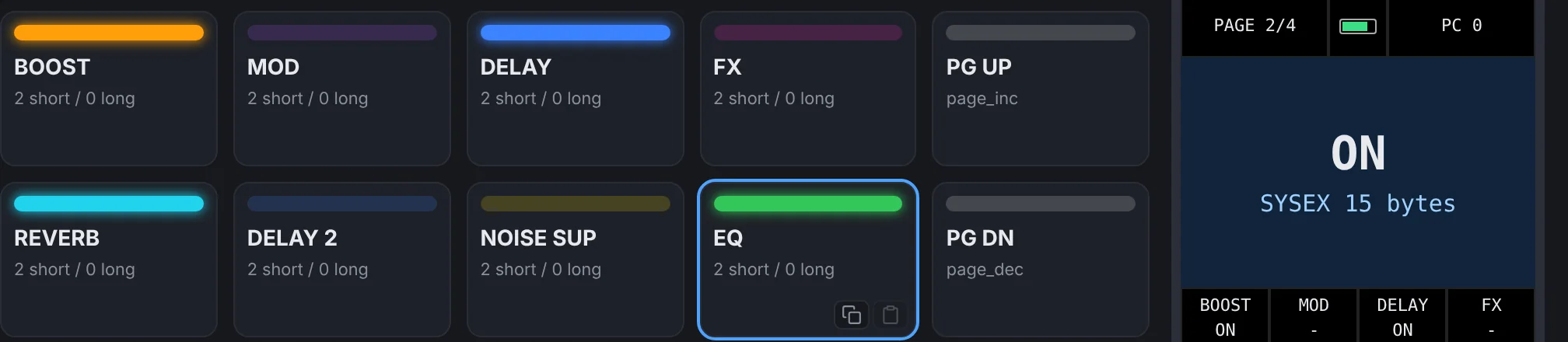
An effects page for Boss Waza-Air headphones with boost, delay, reverb and EQ lit, and the screen preview showing ON, SYSEX 15 bytes.

Start from a real rig

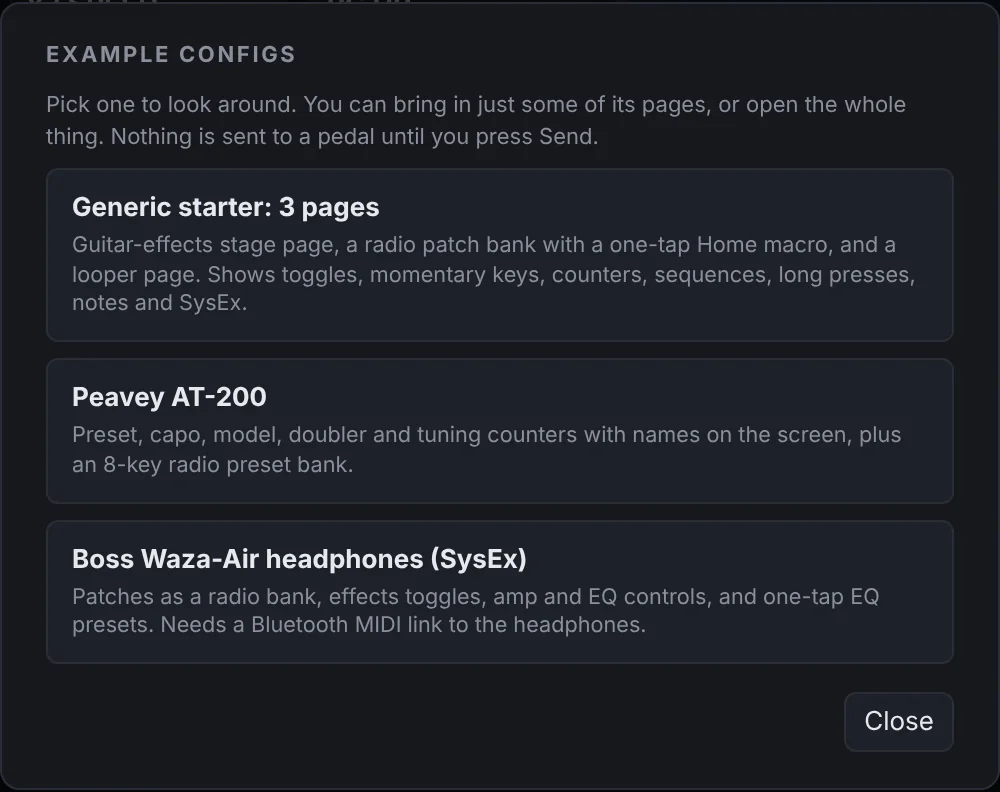
Open Examples and pick one to see what a full setup looks like. The starter is a three-page board: a stage page, a radio patch bank with a one-tap Home key, and a looper page with named scene counters and an amp-channel sequence.

There are gear-specific configs too. One drives the Peavey AT-200 with named capo, model, doubler and tuning counters. Another controls Boss Waza-Air headphones entirely over SysEx, and makes a good model for any SysEx device.

The Examples picker listing the generic three-page starter, Peavey AT-200 and Boss Waza-Air headphones configs.

Test without guessing

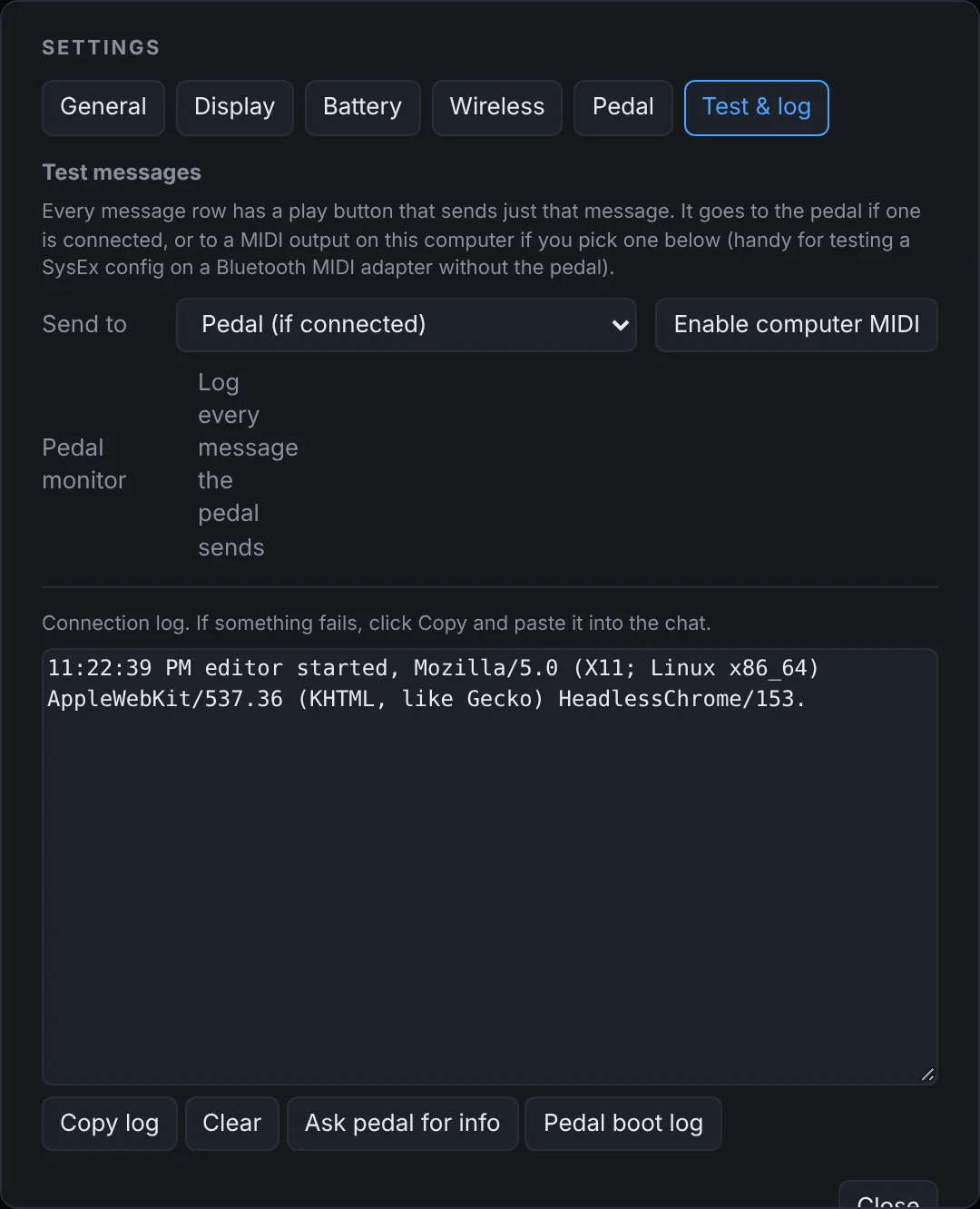
Every message has its own play button that sends just that message, either through the pedal or straight to a MIDI port on your computer. That makes it quick to find the one SysEx string your gear actually answers to.

Turn on the pedal monitor to see every message the pedal sends as you stomp, and use the log to ask the pedal what it's doing when something doesn't add up.

The Test and log settings tab with a choice of where to send test messages, a pedal monitor switch and a connection log.

Settings that respect the stage

Global settings live in one tidy panel: the MIDI channel, how long a long press is, how bright idle LEDs glow, and how bright the screen is. For dark stages the screen can fade down after a few quiet seconds and snap back the moment you touch a key.

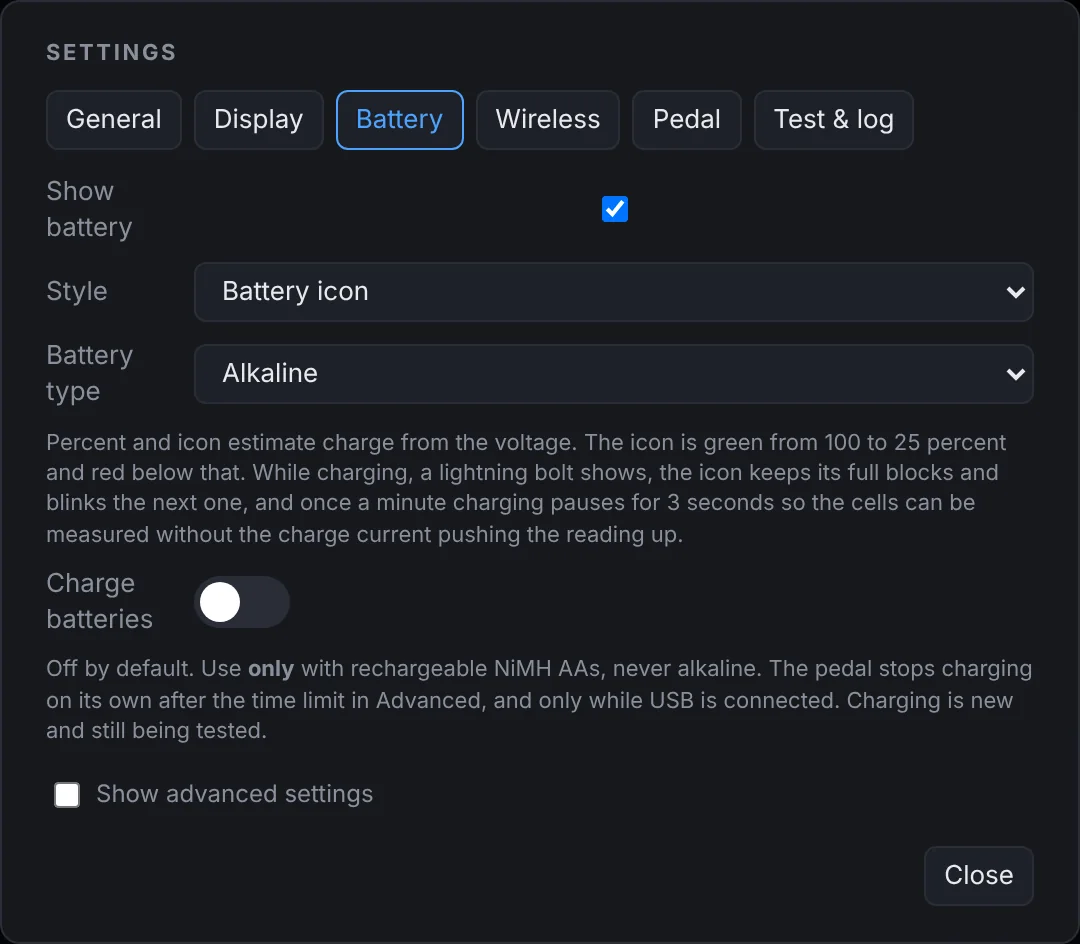
The battery can show as a voltage, a percentage or an icon. If you run rechargeable NiMH cells, the pedal can charge them over USB, with a time limit and regular pauses for an honest reading. Charging is off by default and still being tested.

The Battery settings tab, with options for showing the battery, a battery icon style, the battery type and a charge batteries switch.

Six kinds of key.

Give each footswitch a personality. Each type can respond to a tap and to a long press, which you can time to your own foot.

Momentary

Sends one value while your foot is down and another when you lift.

A reverb swell only while held, a solo boost, freeze or whammy, a sustain pedal.

Toggle

Each tap flips it on and off, and the LED changes to match.

Drive, delay, the FX loop, a compressor, anything you set and forget.

Radio

A pick-one group. Pressing a key lights it and dims the others in its group.

Banks of presets or patches, amp or scene selectors.

Counter

Steps a value up or down, can wrap around, and can show a name for each value on the screen.

Scenes and snapshots, bank select, volume in steps.

Sequence

Each tap moves to the next state, and every state sends its own messages and shows its own color.

Channel cycling, delay subdivisions, walking through the parts of a song.

Page up and down

Jumps to the next or previous page of ten keys.

Separate pages for the stage, the looper and the setlist.

Everything else the pedal can do.

Big screen pop-ups
Press a key and the screen shows a big number or name, like the preset number, the current scene or "Chorus". A zero point can be subtracted, so a value centred on 64 reads as 0.
Encoder wheel
Scroll through pages, or send a CC as you turn it.
Two expression inputs
EXP1 and EXP2 send a CC that follows the pedal's position, for wah or volume. They start switched off, so you won't get stray signals.
LED feedback
Idle keys glow dimly in their own color. Toggles light up brightly while on. Set how bright idle keys are, or keep any key lit after it fires.
Help where you need it
Hover any field for a tip, or open the built-in guide and MIDI cheat sheet. The guide can pop out into its own window beside the editor.
Share pages, not whole files
Export saves a single page as a small file. Import pages, or drop a config onto the editor, to tick the pages you want from someone else's setup and choose where they go.
NiMH chargingExperimental
Charging pauses for a few seconds every minute so the reading isn't skewed, and stops on its own after a time limit. Use it only with rechargeable NiMH cells, never alkaline.
MIDI throughUntested
Pass anything arriving on the DIN input out of the DIN output and USB, so the pedal can sit in the middle of a chain.
Wireless on Pro modelsUntested
On/off, wireless ID and radio power for pairing the blue and gold Pro units with a PaintAudio MIDI Mate. The black STD has no radio.
Dev mode
Normally the pedal hides its USB drive so it can save its own settings. Switch on Dev mode, or hold key 1 at power-up, to get the drive back.
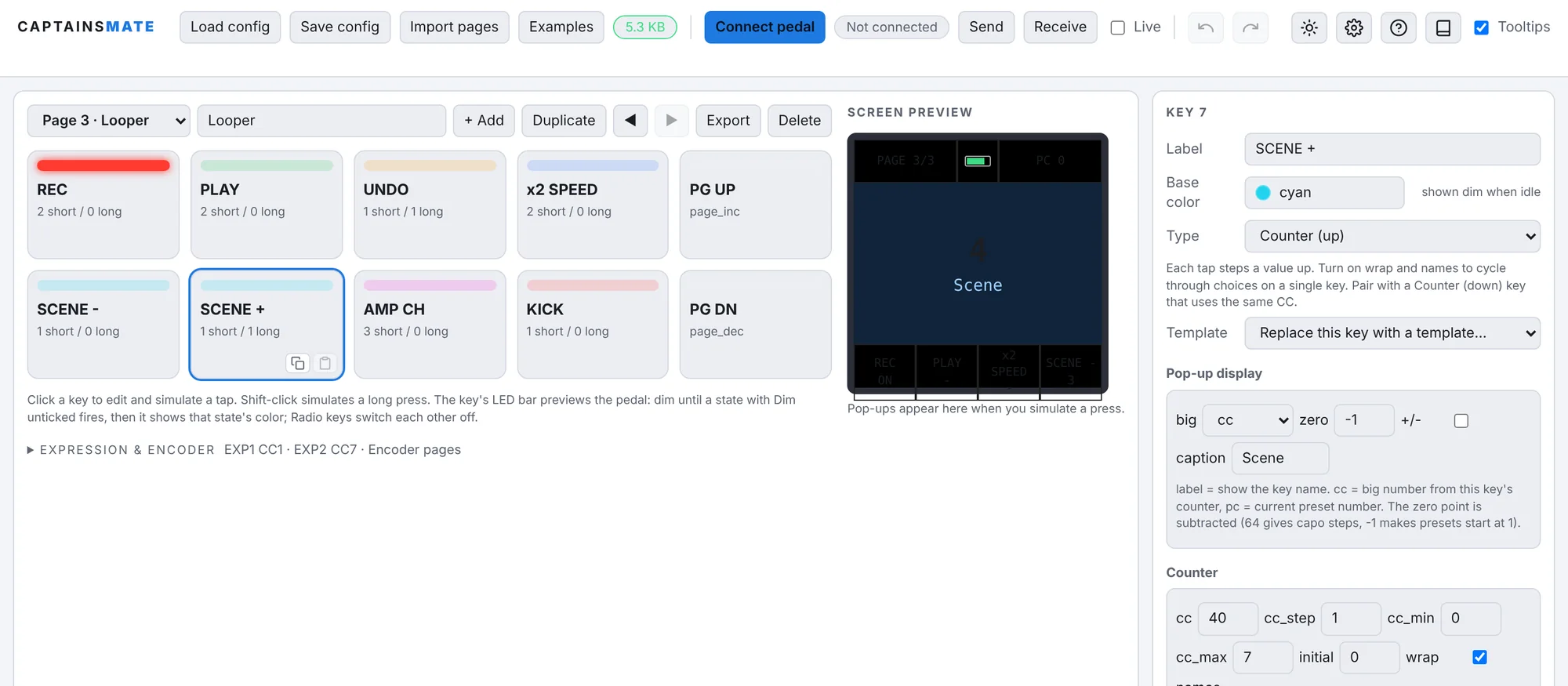
The editor in its light theme, showing the looper page with the record key lit red and a scene counter selected.
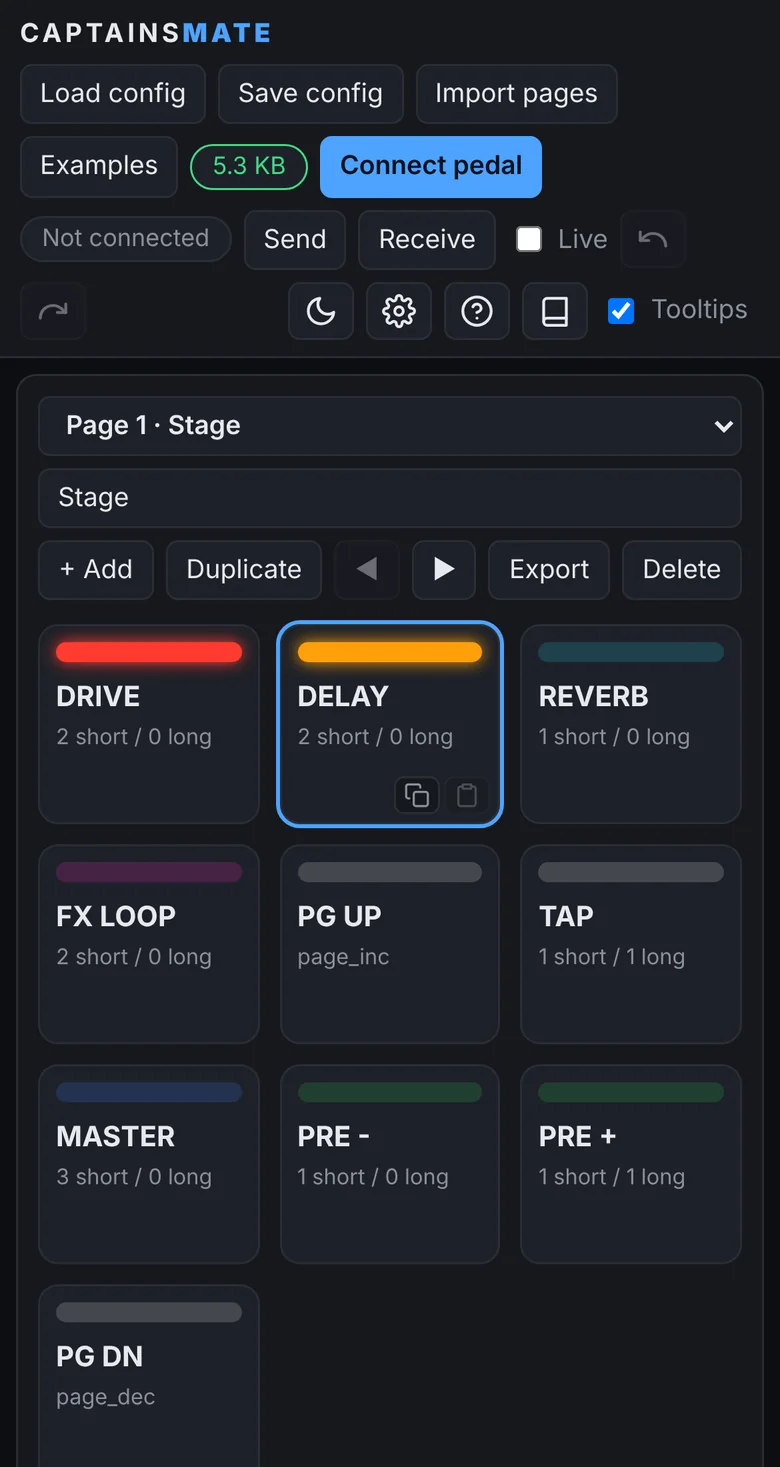
The editor on a phone, with the stage page keys stacked in three columns.

Light or dark, desk or sofa.

The editor follows your system theme, or you can pick light or dark from the top bar. It reflows for small screens too, so you can sketch a page on your phone in the emulator and send it to the pedal from your computer later.

Get it onto your pedal.

CaptainsMate runs on CircuitPython 7.3.1. If your pedal already runs CircuitPython, setup takes a few minutes.

  1. Back up the drive

    Hold switch 1 while powering on, and copy everything from the MIDICAPTAIN drive to a safe folder.

  2. Copy three files

    Put code.py, boot.py and config.json from the repo's firmware folder onto the drive, then restart the pedal.

  3. Connect

    Open the editor in Chrome or Edge, click Connect pedal and pick its serial port. The editor reads what's on it.

  4. Send and stomp

    Change something, click Send, and step on the key. You'll rarely need the USB drive again.

No code.py or lib folder on your drive? Your pedal may need CircuitPython flashed first, which is the riskier route. The install guide on GitHub covers it, along with where to get CircuitPython 7.3.1.

Try it before you touch the pedal.

The emulator is the full editor. Load an example, press some keys and see if it fits the way you play.

CaptainsMate is free. If it earns a spot on your board, you can say thanks with a coffee.

Buy me a coffee